Posts

Showing posts with the label controls in java

Exercise Beginner: Sort array(Bubble sort)

Image
Request: Write a program that inputs n natural numbers and a natural number k. Sort the input by non-descending order and then insert element k in such a way that the new resulted array is also sorted (1 ≤ n ≤ 1000, 1 ≤ numbers, k ≤ 1000000). Solution In order to be able to solve this exercise the programmer must know the concept of array which we have seen on lesson 8 , if condition which we have seen on lesson 4 and the for loop which we have seen on lesson 7 . So from the request we see that we must get from the user the k number. We can do this operation through the given code bellow: Example code: System.out.println("Gvie the k element:"); int k = scannInt.nextInt(); Where scannInt is an instance of Scanner class which is shipped within JDK and is found inside the java.util package, so in order to use it we need to add the line bellow in the beginning of the application if our class is not inside any package or directly bellow the package if the ...
Java Beginner: Lesson 4

Image
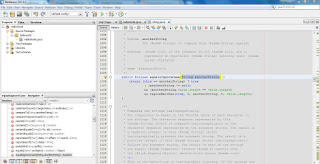
If condition In order to take decisions in java we use the if condition. The if condition can be applied on boolean expressions only, so we can ask if an expression is true or false. In the previos lesson, lesson 3 , the if condition is used several times in order to determine which operation the user has given as input: Example code: if(operation.equalsIgnoreCase("+")){ result = nr1+nr2; }else if(operation.equalsIgnoreCase("-")){ result = nr1-nr2; }else if(operation.equalsIgnoreCase("*")){ result = nr1*nr2; }else if(operation.equalsIgnoreCase("/")){ if(nr2!=0){ result = nr1/nr2; }else{ System.out.println("Can not devide by 0\n"); return; } } operation variable in the example code above is a String variable. In the string class is declared the public method equalsIgnoreCase(String anotherString) which is a method which returns a boolean value. In the NetBeans IDE if we keep pressed the CTRL key and pres the ri...