Java Intermediate: Lesson 2 - GUI
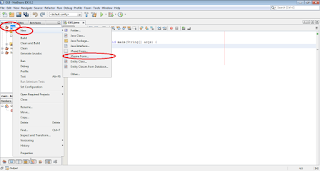
Being that in the lesson 1, intermediate level we saw the concept of class it is easier to understand the structure of an application with Graphical User Interface. In the case of this lesson is used NetBeans IDE and the application in this case is platform depended during the phase of development because it uses the libraries of the NetBeans IDE. If it could be considered that it was not mandatory to use NetBeans IDE until now, in this lesson this fact changes because of the reason I mentioned above. In order to create a GUI project in NetBeans IDE it is necessary to follow the same steps with the ones followed during the creation of a normal project, so File -> New Project ... -> Java -> Java Application and click finish after determining the name of the project. After the creation of the project, the next step that follows is the creation of a JFrame Form. In order to create a JFrame form on NetBeans IDE it is necessary to right-click on the name of the project on Proj...